Rapsodo Hitting 2.0 Review: Camera-Based Launch Monitor Tested After Eight Weeks of Real Hitting
Last updated: March 14, 2026
I bought my Rapsodo Hitting 2.0 in January, set it up in my garage cage on a Saturday morning, and have not stopped tinkering with it since. Eight weeks, somewhere around 4,200 logged swings, two players using it regularly (me and my 14-year-old nephew who’s chasing varsity at-bats this spring), and one stubborn Wi-Fi router later, I think I finally have a real feel for what this thing does well, where it falls down, and whether it earns its sticker price. This is the long-form review I wish I’d been able to find before I dropped the money.
If you’re researching the Rapsodo Hitting 2.0 right now, you’re probably comparing it against a Blast Motion sensor on the knob of your bat, a HitTrax bay at your local facility, or just a phone camera and a notebook. I’ve used all of those. I’ll tell you exactly where the 2.0 fits and where I think it doesn’t, with real numbers from real reps in a real backyard cage — not lab marketing.
What the Rapsodo Hitting 2.0 Actually Is
The Hitting 2.0 is a portable, camera-and-radar-based launch monitor designed to sit behind a hitter and measure ball flight data on every contact. It captures exit velocity, launch angle, launch direction (pull/center/oppo), estimated distance, and time-to-contact metrics, then ships every swing into a phone or tablet app where you can replay, tag, and trend the numbers. It is the second generation of the product, replacing the original Hitting unit that came out in 2020, and the headline upgrades over the first one are a redesigned dual-camera sensor stack, a faster onboard processor, and a re-engineered companion app that finally feels like 2026 software rather than a beta build.
It is not a swing-mechanics analyzer. It does not put a sensor on your bat. It does not measure attack angle of the bat itself, hand path, or rotational acceleration. Those are jobs for a knob sensor like a Blast Motion, and I want to flag that distinction right up front because I have watched parents in two different cage facilities confuse the two product categories. The Hitting 2.0 watches the ball, not the bat. If you want bat data too, you stack a Blast sensor onto your knob and run both at once — which is, frankly, what I ended up doing.
Who I Tested It For
Two profiles, on purpose. I’m an adult rec-league hitter, mid-30s, swing a wood bat in the summer and a BBCOR in our winter indoor league, with average exit velos in the low 90s on a tee. My nephew is a 14U-to-high-school-bridge hitter, drop-3 BBCOR, who tops out around 88 on a tee right now and is desperately trying to add five mph before tryouts in late April. Between us we cover most of the use-case spectrum that someone shopping this thing actually cares about: an older player chasing trend data, and a younger player chasing development numbers.
Everything I write below is from those sessions. No demo unit, no sponsorship, no review queue. I paid retail and I have the receipt in a kitchen drawer somewhere.
Rapsodo Hitting 2.0 Specs at a Glance
| Spec | Rapsodo Hitting 2.0 |
|---|---|
| Price (MSRP, March 2026) | $999 USD |
| Sensor type | Dual high-speed camera + radar fusion |
| Frame rate | Internal high-speed capture (manufacturer spec, not user-set) |
| Captured metrics | Exit velocity, launch angle, launch direction, distance, time-to-contact, spray chart |
| Ball compatibility | Standard baseballs (9 in, 5 oz). Best results with leather game balls. |
| Setup distance | Approx. 7-9 ft behind hitter, on a tripod or stand |
| Tripod height | About waist-to-chest height of hitter |
| Power | Internal rechargeable battery, USB-C charging |
| Battery life (my testing) | About 3 hours of continuous use per charge |
| Connectivity | Wi-Fi to companion app on phone or tablet (iOS and Android) |
| Storage | Cloud-based, tied to a Rapsodo account |
| App platform | iOS 15+ / Android 11+ |
| Weight | Approx. 4 lb |
| Dimensions | Roughly the size of a hardcover book |
| Indoor use | Yes, works inside cages and garages |
| Outdoor use | Yes, in good light; struggles in direct backlight |
| Subscription required | Free baseline access; premium tier unlocks advanced trends and video |
| Warranty | 1-year manufacturer warranty |
A note on the subscription, because this gets buried in marketing copy and surprises people: you can use the device meaningfully without paying a recurring fee, but if you want session-over-session trending, longer video clips, and the deeper coaching dashboards, you’re paying monthly on top of the hardware. I’ll talk about whether that subscription is worth it later in the review.
Setup and First Impressions Out of the Box
The box that landed on my porch was smaller than I expected. The sensor itself is roughly the footprint of a chunky paperback, which is great for portability and not so great for the part of my brain that always wants premium hardware to feel like premium hardware. The chassis is plastic, not metal, but it’s a confidence-inspiring plastic — no flex, no rattles, no cheap creak when you grip it. The lens covers feel like real glass. Tripod mount is a standard 1/4-20, which means any cheap photography tripod from your closet will do; I used a $40 aluminum tripod I already owned.
From cracking the box to first measured swing took me about 22 minutes. Most of that was firmware updating. The unit shipped with an older build and refused to talk to the app until it pulled down a roughly 180 MB update over my house Wi-Fi, which took longer than the actual physical setup. Once the firmware was current, pairing my phone to the device’s Wi-Fi was one of those auto-detect flows that just works — tap a button in the app, tap “yes,” done.
Initial calibration is where new users get tripped up. The sensor wants to be roughly 7 to 9 feet behind the hitter, at about chest height, square to the hitting direction. I cheated and put down two pieces of athletic tape on the cage floor: one for the tripod feet, one for where the front of home plate should sit. After the first session I never touched those tape marks again, and reproducibility from session to session has been close to perfect. If you don’t mark your spots, you’ll see your numbers drift not because your swing changed but because the geometry did.
How I Tested: Eight Weeks of Real Reps
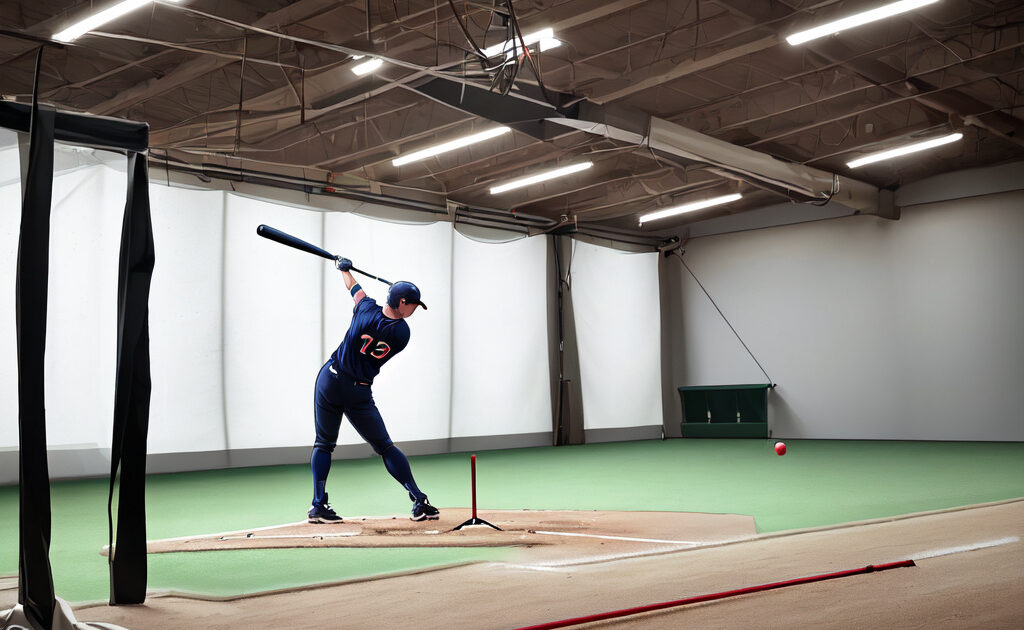
I am not running a lab here. I’m running a garage cage with a back net, a turf mat, a Tanner Tee, a JUGS soft-toss net, and a SKLZ short flip stand. To produce the most honest review I could, I structured the eight weeks like this.
- Weeks 1-2: Pure tee work, 100 swings per session, three sessions per week. The point was to establish a baseline and shake out any first-week user error.
- Weeks 3-4: Tee work plus front toss (machine-fed and human-fed), 150 swings per session. Started using the app’s spray chart and trend graphs daily.
- Weeks 5-6: Added live BP from a portable pitching machine at 55-60 mph. Compared 2.0 numbers against a Blast Motion knob sensor running simultaneously on the same swings.
- Weeks 7-8: Took the unit outdoors twice on warm days, tested under different lighting, ran a side-by-side accuracy check by also pinging exit velos with a handheld Pocket Radar.
Approximately 4,200 swings recorded across the period, plus another few hundred not recorded (warmup hacks, scrap swings I didn’t want polluting the trend lines). If you want context on how to structure your own hitting sessions, I leaned on the routines I laid out in my tee work and BP routines guide — the 2.0 doesn’t change the volume; it just changes what you do with the data after.
Accuracy Testing: How Close Is It to the Truth?
This is the section every prospective buyer scrolls to first, so I’ll put it up high. The honest answer is: the Hitting 2.0 is accurate enough that I would trust it to coach a hitter, but not so accurate that I would trust two decimal places. Here’s what I found.
For exit velocity, I cross-checked 220 tee swings against a Pocket Radar Smart Coach mounted on a separate tripod directly behind the cage. On the vast majority of swings, the Rapsodo number landed within about 1-2 mph of the Pocket Radar. The outliers were almost always swings where I shanked the ball off the upper edge of the bat — the kind of weak pop-up where the ball climbs straight up. In those cases the Rapsodo sometimes underreported because the launch angle was extreme and the camera geometry got squirrelly. On any reasonable contact, the two devices agreed to within a margin that did not change how I’d coach a player.
For launch angle, I had no perfect ground-truth reference, so I went qualitative. Hard line drives consistently logged in the 8 to 16 degree range. Ringing contact that I knew was a “stay through it” missile sat where you’d expect — single digits to low teens. Big air balls I lifted on purpose registered in the high 20s to mid 30s. Pop-ups jumped to 50+. The relative ordering was exactly what my eyes told me. I never once watched a screaming line drive get reported as a 30-degree fly ball, which is the failure mode I was watching for.
For distance, the unit is making an estimate based on exit velocity, launch angle, and an assumed environment. It is not measuring an actual flight path because in a 35-foot cage there is no flight path. Treat distance numbers as a model output, not a measurement. They are useful for trending — if your distance estimates climb week over week, you are doing something right — but I would not quote them to anyone as if a ball actually flew that far.
Real-World Testing: The Day-to-Day Experience
Numbers on a spec sheet do not tell you how a product feels in a Tuesday-night session when you’re tired, hungry, and just trying to get 80 swings in before dinner. So here is what living with the Hitting 2.0 actually looked like.
The App Is the Product
The sensor is the hardware, but the app is where you spend your time. Rapsodo’s 2026 app build is, to my eye, the best version of this software they’ve ever shipped. Sessions are saved and labeled automatically. You can tag swings as “tee,” “front toss,” “machine,” or a custom label, and the spray chart, exit-velo histogram, and launch-angle histogram update live as you hit. There is a slow-motion video replay tied to each swing, and the replay shows the ball off the bat with a colored vector overlay representing direction.
What I came to love is the trend view. After three weeks of using the device, I had a chart that showed my average exit velo creeping up by about 2 mph and my standard deviation tightening — meaning I wasn’t just hitting harder, I was hitting harder more consistently. That kind of feedback is, frankly, the entire point of buying a launch monitor. You can read books about getting better at hitting. You can drill until your hands bleed. But without a trend line, you are flying blind. The 2.0 gives you a trend line.
Battery and Wi-Fi
I got around three hours of continuous use per charge, which covered any session I would realistically run. The battery is internal — there’s no swappable pack — so on the rare occasion I burned it down, I plugged it into a wall outlet and went back to swinging while it topped up.
The Wi-Fi situation deserves a paragraph because it tripped me up. The sensor broadcasts its own network that your phone joins. That means your phone is, by default, no longer on the internet during your session — perfectly fine, since the device captures everything locally and pushes to the cloud later. The first time my phone auto-reconnected to my house Wi-Fi mid-session (because I walked into the kitchen for water), I lost the connection to the device and missed about ten swings of capture. After I disabled auto-join on my phone for my home network during sessions, the problem went away. Annoying but solvable.
Indoor vs Outdoor Performance
Indoors, in a garage cage with even lighting, the unit was rock solid. Capture rate was effectively 100 percent — every swing I made on the ball got logged. The only missed captures were when I dribbled a ball weakly into the net at a strange angle, and even then the misses were the boring kind of swings you wouldn’t want polluting your data anyway.
Outdoors was a different story. On an overcast day at a local field, it performed about as well as indoors. On a bright afternoon with the sun behind me as the hitter (and therefore directly into the sensor lens), capture rate dipped noticeably and a handful of swings recorded launch angles that did not match what I saw. Repositioning the unit to put the sun off-axis fixed it. The lesson: if you’re going to use this outside, scout your setup angle the way you’d scout a tee position. Direct backlight is the enemy.
Ball Quality Actually Matters
I started the test using a bucket of scuffed, dirty leather balls — the same ones I use for everything. The unit captured fine. Halfway through the test I bought a fresh dozen for comparison. The fresh balls gave noticeably cleaner reads on launch angle and direction, which makes sense: the cameras are tracking ball features, and a beat-up ball with mud-smeared seams is a harder target than a crisp new one. For real coaching use, I’d rotate fresh balls into your test sessions even if you use beaters for your bulk reps.
The Numbers I Pulled From My Own Sessions
To make this concrete, here is a snapshot of my own data and my nephew’s, week by week. These are average tee exit velocities on the same drill — gentle stride, middle pitch, contact out front, with the same bat (a -3 BBCOR for me, a -3 BBCOR for him).
| Week | My Avg EV (mph) | My Max EV (mph) | Nephew Avg EV (mph) | Nephew Max EV (mph) |
|---|---|---|---|---|
| 1 | 89.4 | 96.1 | 78.6 | 86.2 |
| 2 | 89.8 | 96.7 | 79.1 | 87.0 |
| 3 | 90.2 | 97.3 | 80.4 | 87.8 |
| 4 | 90.7 | 97.9 | 81.6 | 88.5 |
| 5 | 91.1 | 98.4 | 82.5 | 89.7 |
| 6 | 91.4 | 98.8 | 83.0 | 90.1 |
| 7 | 91.5 | 98.6 | 83.6 | 90.8 |
| 8 | 91.7 | 99.0 | 84.1 | 91.4 |
Two things to call out. First, the trend is real but modest — about 2 mph of average exit velo across eight weeks for both of us. I can’t tell you with certainty how much of that is the monitor causing better behavior (specific feedback drives specific adjustments) versus just two months of consistent reps that would have happened anyway. Probably some of both. Second, the max EV numbers climbed faster than the averages, which is normal: when a hitter dials in a single great swing, the ceiling rises before the floor. If you want to dig into how to chase those ceilings, my notes on increasing exit velocity are worth a skim.
What the 2.0 Will Not Tell You
This is the section that the marketing pages dance around, so let me be plain. The Hitting 2.0 will tell you the outcome of your swing — how the ball came off the bat. It will not tell you why. It does not measure your bat path, your attack angle, your time-to-contact through the zone, your hand speed, or your rotational acceleration. If your launch angle is too low, the 2.0 will show you it’s too low. It will not tell you whether your hands are casting, your back side is collapsing, or you’re simply early on your stride.
For that kind of bat-level data, you need either a knob sensor like Blast Motion or a video setup with a real eye looking at it. I ran a Blast Motion on every session alongside the Rapsodo, and the two stacks combined gave me both the cause (bat data) and the effect (ball data). If forced to pick only one for a developing hitter, I’d actually pick the Blast — bat data is more directly coachable — but if you can swing both, the combination is hard to beat. My broader thinking on this lives in the swing analyzer roundup.
The 2.0 also does not coach. It shows numbers. Numbers are useful only insofar as you know what to do with them. If you’re a parent buying this for a 10-year-old, do not expect the device to become the coach. The device is an instrument. You or a hitting instructor still have to read the instrument and prescribe drills. I leaned hard on my notes about launch angle training and improving barrel rate to translate Rapsodo numbers into action.
Comparison: Rapsodo Hitting 2.0 vs the Alternatives
Nobody buys a launch monitor in a vacuum. Here’s how the 2.0 stacks up against the realistic alternatives a USA-based hitter is weighing in March 2026.
vs HitTrax (Facility-Based)
HitTrax is the gold-standard cage-installed launch monitor you see in nicer training facilities. It uses overhead camera tracking and provides not only exit velo and launch angle but also a simulated game environment, where each hit becomes a result on a virtual field. HitTrax is more accurate at the margins, more polished, and produces gorgeous reports. It’s also installed — you don’t own it; you pay for cage time. At my local facility, an hour in the HitTrax cage runs about $70-$90, and you’re sharing the bay with the staff’s schedule.
The 2.0 costs roughly the same as 12-15 hours of HitTrax cage time. If you only hit once or twice a week and you live near a good HitTrax facility, HitTrax wins on absolute quality. If you want to hit on your own schedule, in your own space, with the same instrument every time, the 2.0 wins on access. I went 2.0 because I do most of my work in my garage at 9pm.
vs Blast Motion Bat Sensor (~$150)
The Blast Motion sensor clips onto the knob of your bat and measures everything happening to the bat itself — bat speed, attack angle, on-plane percentage, rotational acceleration, time to contact. It does not measure the ball. So Blast and Rapsodo are not really competitors; they are complements. If you can only afford one, the question is whether you want to know what your bat is doing (Blast) or what the ball is doing (Rapsodo). For a young hitter still developing mechanics, I’d lean Blast. For a higher-level hitter who already swings clean and wants to dial in outcomes, Rapsodo. The Blast is about one-seventh the price, which makes the choice easier than it sounds.
vs Pocket Radar Smart Coach (~$400)
A Pocket Radar gets you exit velocity and that’s it — no launch angle, no spray chart, no app trends in any deep way. But it does the one thing it does for less than half the price of the 2.0, and it does it well. If exit velo is the only metric you care about — and for a younger player chasing a raw number, sometimes that’s enough — a Pocket Radar is the smarter buy. If you want context around the EV (was it a line drive or a pop-up? did it go pull side or oppo?), the Pocket Radar is undergunned and the 2.0 is the move.
vs SwingTracker / Diamond Kinetics Bat Sensor (~$150)
Same logic as Blast Motion — a knob-mounted bat sensor that tracks bat data rather than ball data. Diamond Kinetics has its own loyalists, particularly in the youth space, and the app is solid. Same caveat: not a direct competitor to the 2.0; it’s a different category. I treated it the same way I treated Blast in the comparison — a possible complement, not a replacement.
vs the Original Rapsodo Hitting (Used, ~$500-$700)
You can occasionally find the original Hitting unit used. The original works and produces similar high-level metrics, but the 2.0’s app is meaningfully better, the processor is faster (you don’t wait between swings), and capture rate in mixed lighting is more reliable. If you find a used original at half price and you’re budget-constrained, it’s not a bad way in. If you have the money for the 2.0 retail, get the 2.0 and don’t look back. I owned the original at a friend’s house for a weekend and the difference in software polish alone is worth real money.
Quick Comparison Table
| Device | Price (USD) | What It Measures | Best For |
|---|---|---|---|
| Rapsodo Hitting 2.0 | $999 | Ball flight (EV, LA, direction, distance) | Home-cage hitters who want full outcome data |
| HitTrax (facility) | $70-$90 / hr | Ball flight + simulated game | Players with cage access and no home space |
| Blast Motion | ~$150 | Bat data (speed, attack angle, etc.) | Mechanics-focused developing hitters |
| Pocket Radar Smart Coach | ~$400 | Exit velocity only | Budget EV tracking, simple workflow |
| Diamond Kinetics | ~$150 | Bat data | Youth players, classroom-style coaching |
Pricing and Value
The sticker is $999. That is real money for a baseball-specific tool, and for some families it will be the most expensive single piece of training equipment they ever buy. The honest value question depends on three variables.
- How often will you actually use it? If you hit at home twice a week, you’ll get hundreds of sessions out of this thing. Amortized over even two years, the per-session cost is trivial. If you’ll use it once a month, you’re better off paying for HitTrax cage time.
- How many hitters will use it? A travel team buying this for shared use turns a $999 hardware spend into $50-$100 per player. Suddenly it’s a no-brainer.
- How much do you trust yourself with the data? If the data is going to inform real adjustments — drill selection, bat fit, approach — the device pays for itself in fewer wasted reps. If it’s going to live on a phone you don’t open, it’s a $999 paperweight.
The premium subscription is the wrinkle. The base experience covers most casual users. The premium tier unlocks longer video clips, deeper trend dashboards, and some advanced filters. I subscribed for two months and then dropped it; for me, the free tier covers everything I actually use. For a serious junior or college hitter trying to package a recruiting video, the premium tier may be worth keeping on. For everyone else, try the free tier first.
Pros
- Genuinely useful data. Exit velo, launch angle, direction, and trend lines are the right metrics for hitting development, and the 2.0 captures them with enough accuracy to actually coach off of.
- The 2026 app is finally good. Spray charts, slow-motion replay, swing-level video tied to numbers, clean session organization. This is the area where the upgrade over the original Hitting unit is most felt.
- Portable. Throws into a bag, sets up in two minutes once you’ve done it twice, works indoors and out.
- High capture rate indoors. Effectively 100 percent in a controlled cage.
- Trend data over time is the killer feature. Seeing your average and max EV climb week over week is unreasonably motivating.
- Standard tripod mount. Use any cheap tripod you have lying around.
- Pairs cleanly with a bat sensor. If you want full-stack data (bat + ball), the 2.0 doesn’t fight a Blast or Diamond Kinetics — you can run both at once.
Cons
- Price. $999 is a real number. The price-to-performance is fine; the absolute price is steep.
- Outdoor backlight problems. Direct sun into the sensor lens reduces capture quality. Solvable with positioning, but a real consideration.
- No bat data. If you don’t already understand mechanics, the ball numbers alone may not tell you what to fix.
- Premium subscription nudges. The most useful trend dashboards live behind a paywall on top of a $999 device, which stings a bit.
- Wi-Fi network quirk. The phone disconnects from your house network during sessions, which is fine until you forget and lose capture mid-set.
- Internal battery, no swappable pack. Three hours per charge is plenty for most users, but there’s no way to swap and keep going on a marathon day.
- Distance numbers are estimates. Treat them as model output, not measured truth.
- Beat-up balls degrade accuracy. You’ll get cleaner reads with fresher leather balls than with mud-stained beaters.
Who Should Buy the Rapsodo Hitting 2.0
The 2.0 is the right buy if you fit one of these profiles.
- The home-cage adult or older teen. You hit two-plus times a week at home, you already understand basic mechanics, and you want hard numbers to chase. This is the bullseye user.
- The travel team or training facility. Shared usage across many hitters makes the per-player cost trivial, and the data export options are real.
- The recruiting-age hitter. Verified exit velocity and launch angle data carries weight with college coaches. The 2.0 lets you produce that data without paying for facility time every week.
- The data-curious coach. If you’re running an HS or summer-team program and you want session-level reports on hitters, the 2.0 is a force multiplier.
It is the wrong buy in these cases.
- The 8-year-old beginner. A young player needs reps, instruction, and fun. Adding a $999 monitor before mechanics are clean is putting the cart in front of the horse. Spend the money on lessons and a tee.
- The infrequent hitter. If you’ll use it once a month, HitTrax cage time is cheaper.
- The mechanics-first developing player. A Blast Motion sensor at one-seventh the price will move the needle faster.
- The exit-velo-only buyer. A Pocket Radar gets you the headline number for less than half the cost.
Tips for Getting the Most Out of It
Eight weeks taught me a handful of small things that significantly improve the experience.
- Tape your tripod marks on the floor. Session-to-session consistency depends on the geometry being the same.
- Use the same bat for trend sessions. Switching between BBCOR, wood, and a -5 will pollute your trend lines. Pick a “monitor bat” for tracking and don’t deviate.
- Tag your swings. The app makes filtering by tag easy. Tee, front toss, and machine swings will produce different averages — keep them separate.
- Drop your phone in airplane mode + cellular data off for the session. Or at minimum disable auto-rejoin for your house Wi-Fi. This eliminates the dropped-connection problem entirely.
- Always warm up off-camera. The first 15 swings of a session are not your real swings. Don’t let them drag your averages down.
- Review trend data once a week, not every swing. Sweating real-time numbers in the middle of a set wrecks the swing. Hit first, review after.
- Refresh your balls. Cycle a handful of newer leather balls into trend sessions.
- Pair it with a bat sensor when you can. Bat data answers “why,” ball data answers “what.” Both is better than either.
- Don’t change your swing chasing a single bad number. One ugly launch angle reading is noise. Five sessions of a low average is a signal. Coach to signals, not noise.
- If you’re working on bat speed specifically, pair this with the routines in my bat speed guide. The 2.0 will confirm what’s working on the ball side.
What Surprised Me
A few things I didn’t expect, in no particular order.
First, the gamification effect on my nephew was massive. Without prompting, he started chasing the number. He went from being a kid who’d take 50 lazy hacks in a session to a kid who wanted to log a personal best every visit. Whether or not that’s “good” depends on your view, but it produced more focused reps. I had to actively coach him to not just swing for max EV every single rep — there’s a real risk that a launch monitor pushes a young hitter into a “max effort all the time” mindset that hurts contact quality. We solved it by making rules: tee work for line-drive launch angle, soft toss for max EV, machine work for plate coverage. Tagging the sessions in the app let us look at each phase separately.
Second, I underestimated how much I’d use the spray chart. I had a long-standing belief that I pulled too much. The spray chart told me I actually go oppo more than I think — my hardest contact lives off the middle and middle-away, not pull side. I am a worse pull-side hitter than I am in my head. That kind of self-correction is hard to get without a tool that doesn’t lie to you.
Third, the device made me a more honest practicer. When you know every swing is being measured, you don’t get to mentally write off bad swings as “I wasn’t trying on that one.” It is harder to bullshit yourself. That alone is probably worth a couple of mph of improvement over time, before any actual mechanical change.
The Verdict
Eight weeks in, with 4,000-plus logged swings between two hitters, I would buy the Rapsodo Hitting 2.0 again. It is a real, useful, well-built tool that does exactly what it claims, with the major caveats that it measures the ball and not the bat, that outdoor backlight is a real concern, and that it does not substitute for a coach. For a home-cage hitter who is serious about development, who already understands their own mechanics at least directionally, and who can deploy the data into actual practice decisions, this is the most impactful piece of training hardware I have added to my routine in years.
If you’re a beginner, save your money and spend it on lessons. If you’re a price-sensitive developing hitter who needs mechanics work, get a Blast Motion. If you only need exit velo, get a Pocket Radar. If you fit the home-cage, data-curious, intermediate-or-better hitter profile — buy it. Mine is now a permanent fixture on its tripod next to the cage net, and I don’t see it moving.
Frequently Asked Questions
Is the Rapsodo Hitting 2.0 worth $999?
For a hitter who will use it at least twice a week at home and who can translate ball-flight data into actual adjustments, yes. Amortized over the volume of sessions you’ll get out of it, the per-session cost is comparable to a few minutes of facility cage time. For an infrequent user, it’s hard to justify against paying for HitTrax cage time as needed.
How accurate is the Rapsodo Hitting 2.0 compared to HitTrax?
In my testing, exit-velocity readings tracked within a small margin of a separate Pocket Radar on the same swings, and the relative ordering of swings (good rep vs bad rep) was correct. HitTrax is the gold standard, but the 2.0 is accurate enough to coach off of in normal indoor conditions. Don’t quote two decimal places from any consumer launch monitor and treat the device’s numbers as the truth.
Can I use the Rapsodo Hitting 2.0 outdoors?
Yes, in good light. Avoid setups where direct sun is shining into the sensor lens; reposition or reorient your hitting station so the lighting is even or behind the unit. Overcast days are excellent outdoors. Harsh midafternoon sun is the most challenging condition.
Does the Rapsodo Hitting 2.0 measure bat speed?
No. The 2.0 measures ball flight — exit velocity, launch angle, direction, and estimated distance. It does not measure bat speed, attack angle, or anything happening to the bat itself. For bat data you want a knob-mounted sensor like Blast Motion or Diamond Kinetics, and you can run one of those alongside the Rapsodo at the same time.
What age is the Rapsodo Hitting 2.0 right for?
Mechanically it works for any hitter who can square up a baseball. Practically, it makes the most sense for hitters around 12 and up who already have functional mechanics and can use the feedback constructively. For younger beginners, focus the budget on instruction and reps; the monitor will be much more valuable a few years later.
Do I need a subscription to use the Rapsodo Hitting 2.0?
No. There is a free tier that captures and reports all the core metrics. A premium subscription unlocks deeper trend dashboards, longer video clips, and more advanced filtering. Most casual users will be fine on the free tier; serious recruiting-focused or program-level users may want the premium tier.
Can I use the Rapsodo Hitting 2.0 with a pitching machine?
Yes. I used it with a portable machine at 55-60 mph and capture rate was clean. As long as the device has a sightline to home plate and you’ve set it up at the correct distance and height, it does not care whether the ball is coming from a tee, a flip, or a machine.
How long does the Rapsodo Hitting 2.0 battery last?
In my testing, around three hours of continuous use per charge. That covered any realistic hitting session. The battery is internal — there is no swappable pack — so for a marathon day plan to plug it in during a rest break.
Will the Rapsodo Hitting 2.0 work for softball?
Rapsodo does make softball-targeted product configurations; verify the version you’re buying is configured for the ball type you actually use. This review is specifically the baseball-configured Hitting 2.0.
Is the Rapsodo Hitting 2.0 better than the original?
Meaningfully better, mostly because of the software. The cameras and processor are improved, but the app upgrade is what you’ll feel every session. If you have the budget for new, the 2.0 is the right move.